.jpg)
The Art of Thermal Camera Portraits
For those who follow my social media, you will see that I have disappeared down the niche rabbit hole of using a thermal imaging camera for photography. This article takes a look at some of things I have learnt about using thermal cameras.


What is a Thermal Camera?
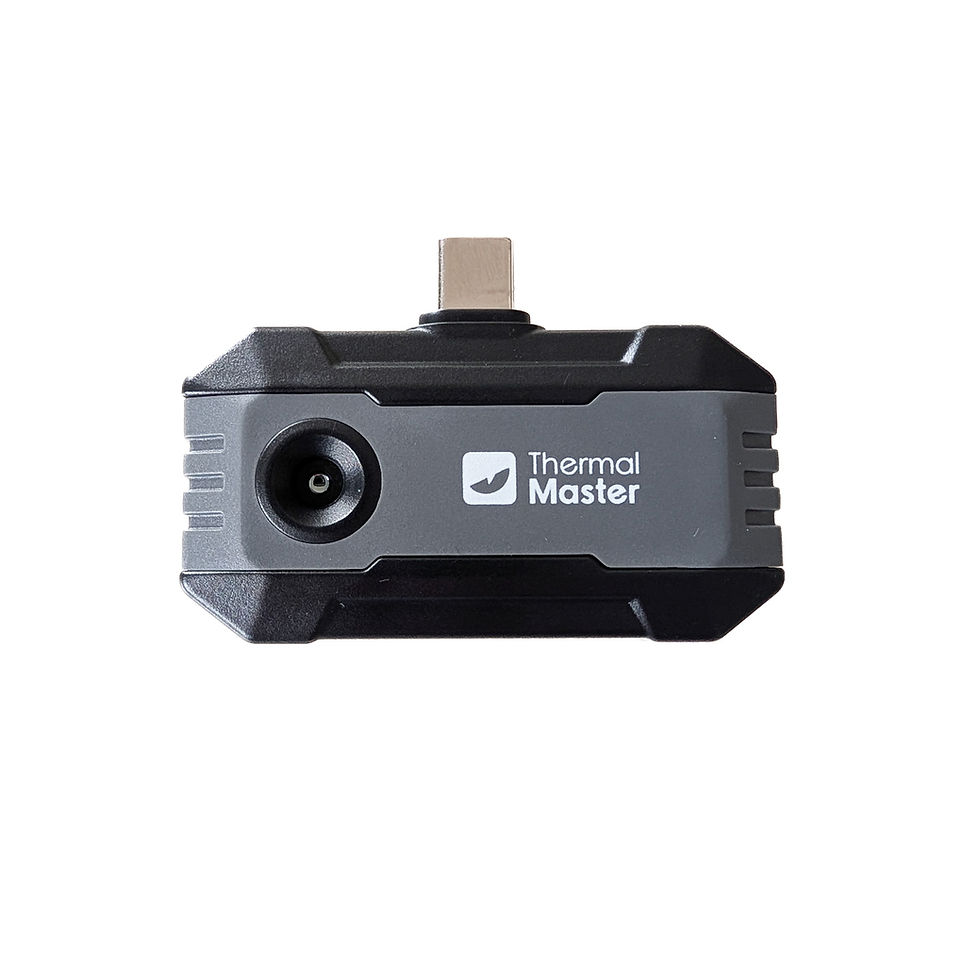
Thermal imaging cameras detect heat / infrared (IR) radiation emitted, transmitted, or reflected from the imaged objects. This type of imaging is known as thermography. The sensors are much lower resolution that digital cameras, and often use image enhancement algorithms to increase the resolution output. I've been using the Thermal Master P1 with a 160x120 sensor (upscaled to 256x192), and Thermal Master P4 with 256x192 sensor (upscaled to 512x384). Both save .jpeg files and MP4 video at 1080x1440 pixels (3:4).
There are a few different types of thermal imaging cameras. There are scopes for long distance, narrow field of view for uses such as birdwatching, wildlife, or hunting. Then there are hand-held professional industrial thermal imagers. These are generally used for professional uses such as electrical, HVAC, or insulation testing. Finally, there are prosumer USB dongle thermal cameras which attach to smart phones and use a phone app for the user interface. I recommend the latter for most thermal photography. The field of view can vary between models, for example the P1 is around 37mm equivalent, P3 is 60mm equivalent, and P4 is 33mm equivalent. Some scopes are 300-350mm equivalent.
Most thermal cameras have fixed focus set to infinity, though a few models have macro lenses or focusing. They generally operate as a point and shoot camera or video camera, though some settings can be manually changed. They offer a range of pseudo colour palettes, with my favourites from Thermal Master being Iron Hot/Iron Red, Night Vision/Low Light, and Lava. Hot objects will appear at one end of the colour scale, and cold objects at the opposite end.


Thermal Portrait Tips
Having experimented with thermal cameras for quite a few months, these are some of my top tips for using thermal cameras for human portraits (though many of these tips apply to pets as well).
The face viewed with a thermal camera is generally not flattering. Turning the model's face to the side or away from the camera often works better.
Heat is left behind from humans, so if a model is posing on a chair or bed, it may be best to get them to pose on a chair or bed that has not been warmed up.
Hand or footprints can often be seen for many seconds after they were created. This can be for creative purposes.
Clothing can make a big different. Ruffled, thick, or loose clothing can create some beautiful textures. Tight clothing such active wear, lingerie, or latex may appear as almost "see through" as it quickly warms to body temperature.
Human skin can have quite uneven thermal characteristics (especially after exercise, changes of temperature, and some medical conditions).
Glass (especially low-E glass) reflects infrared reasonably well, but blocks most infrared from passing through.
Portraits in a hot shower are one of the best known concepts for thermal portraits. Good luck finding a model for a cold shower.

Thermal camera portrait in a shower. Model: @telisha.jpeg
I have written a 22 page eBook which goes into far more detail than this article on thermal imaging camera portraits. The eBook contains a buying guide, emissivity values, settings, lots more tips, and more example photos. Check out the link below:
Thermal camera portraits in my Thermal Imaging Portraits Gallery.
Thermal camera portraits and videos on my Instagram @stephenk_lightart
Thermal Master Links
10% off: THERMALBF10
Thermal Master P1 - great value for money consumer choice at Thermal Master or at Amazon
Thermal Master P4 - high resolution AI dual-lens thermal and visible light camera at Thermal Master or at Amazon
Comments