.jpg)
Review: Thermal Master P4 Thermal Camera
Updated: 3 days ago
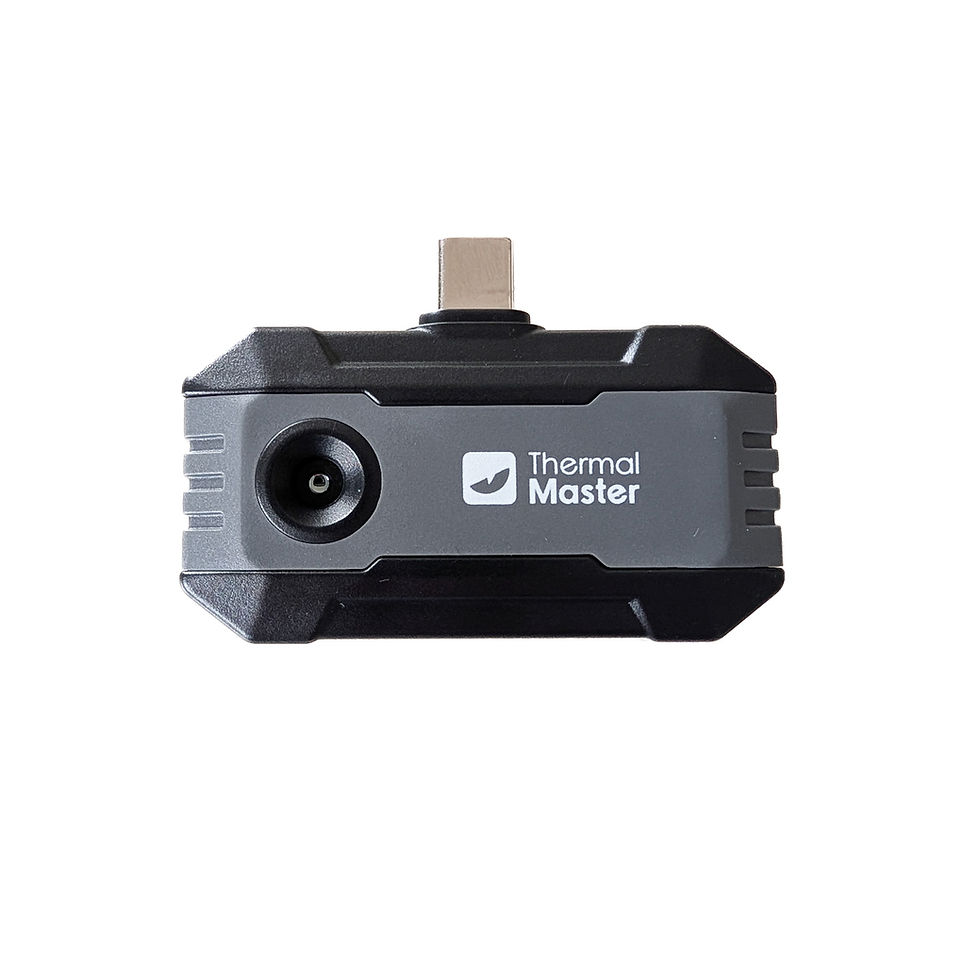
The Thermal Master P4 is Thermal Master's most advanced USB-C dongle thermal camera compatible with Android smart phones, or PCs. The P4 has dual cameras - a thermal/infrared (IR) camera and visible light camera.
A link to my YouTube video review is at the end of this article,
Disclaimer
The Thermal Master P4 was purchased with my own funds, with a discount. Links are affiliate links.
10% off: THERMALBF10

Design and Construction
The Thermal Master P4 is a compact, thermal camera which connects to smart phones (currently Android only) directly via USB-C. This USB dongle design uses the smart phone for both control and display, using the Thermal Master app. It can also connect to PCs using a USB-C cable. As it is Thermal Master's most advanced USB thermal camera, it has a relatively high price tag compared to their other products at US$399. However, this amount of technology for this price is very impressive.
The Thermal Master P4 is primarily designed for electrical engineers, HVAC technicians, and building inspectors. Manufacturer specifications are:
512x384 pixels Super IR Resolution (X³IR), enhanced from a 256x192 VOx sensor.
Sensitivity <35mK, 25Hz) with 0.32W power use.
-20C to 600C (-4F to 1112F) measurements with +/-2C accuracy.
AI Dual-Lens, IR Eraser modes for fast switching between thermal and visible light cameras.
4-Vision Fault Detection: Infrared, Visible, IR-Fuse, and MIX modes.
15x digital zoom.
12 colour palettes.
Dimensions 53×29×11mm.
Weight 26.5g
Camera FOV 56°×42.4° (equivalent to 33mm on a full frame camera).
Fixed focus (infinity).
The P4 arrived in a branded box, with a carrying case, a 50cm USB-C to USB-C extension cable, and quick start guide.
The build quality is metallic and of good quality. The Thermal Master P4 powers itself at 0.58W from the phone's battery via USB-C. Unfortunately, as I have a thick rugged phone case, I couldn't plug in the USB-C directly, so had to use the extension cord. You should get many hours' worth of use, but it would be advisable to make sure that your phone is well charged before use.


User Interface
I tested the Thermal Master P4 connected to a Google Pixel 10 Pro. User interface features in the Thermal Master app include:
Toggle between standard and X³IR resolution.
Temperature Range -Auto, 20C to 150C, or 150C to 450C.
Toggle between Centigrade and Fahrenheit.
Point-Line-Area (rectangle or circle) thermal analysis.
12 Colour palette choices - White Hot, Black Hot, Iron Red (my favourite), Red Hot, Rainbow, Aurora, Medical, City, Gold, Lava, Jungle, Night Vision.
High/Low temperature alert settings - High temp alarm (adjustable temp), low temp alarm (adjustable temp), audible alarm, and vibration alarm.
Temperature Corrections (including custom modes) for Ambient Temp, Distance, and Emissivity.
Infrared, Visible, IR-Fuse, and MIX modes.
MIX and SPO/IR-Fuse modes have adjustable Intensity (mix ratio), and Distance alignment (including AI alignment).
IR and RGB/Visible modes have eraser functionality, with adjustable eraser size. The eraser mask can be added or subtracted.
Camera - Brightness, Contrast, Scale, Mirror, and Rotate (90 degree increments). 15X digital zoom.
Camera - Photo or Video. Ability to manage the Gallery (Edit, Add Report).
Calibrate (this also occurs automatically every so often, making a clicking noise).
I had no problems installing the Thermal Master app from Google Play, and connecting the P4 was very simple. The app was easy to use, with an excellent range of functionality. I really like range of 12 colour palette options available from app version 2.3.6.
The ability to adjust the IR/Visible light mix in MIX and SPO/IR-Fuse modes is very useful. The distance function corrects the alignment differences depending on the distance. For anything more than around 1m (infinity), then just have the slider all the way to the left. AI can be used to align automatically, though it can jump around a bit at close distances. I preferred to use the manual alignment. The erase function in IR and RGB/Visible light modes is also useful, and I plan to use this functionality for artistic purposes.
Adding/removing measurements, changing colour palettes, and the level of IR/Visible light mix in MIX and SP/IR-Fuse modes can be made in the app retrospectively. I would like to be able to perform the erase function retrospectively as well, but that is unavailable. I would also like the app to remember the last used camera orientation, which annoyingly resets every time the P4 is connected.
It should be noted that some of the older P4 packaging mentions the older Temp Master app. You actually need to use the Thermal Master app to use all of the above functionality. Whilst the app was very reliable, I did have a few instances of the camera freezing, resulting in the application having to be restarted.
Screenshots of the Thermal Master app user interface (including measurements on first image) - click to enlarge.
Screenshots of the MIX, SPO, IR, and RGB modes (latter 2 with eraser functionality) - click to enlarge.
Camera and Image Quality
The camera has a resolution of 256x160 from its Vox sensor, enhanced to 512x384 pixels when Super IR Resolution (X³IR) is enabled. The improvement in resolution compared to the otherwise excellent value for money P1 is very noticeable. The X³IR interpolation using the RazorX ultra-clear algorithm does makes a noticeable improvement to the image quality, particularly improved resolution and edge enhancement. Due to the higher sensor resolution than the P1, there was considerably less "overactive" edge enhancement when in X³IR mode using the P4. I also didn't have any issues with one side of the image being brighter than the other which occasionally occurs with the P1 (and usually resolves by clicking calibrate). This is good!
The frame rate of 25Hz is good enough for almost all uses, and the camera functionality, including start up time is snappy. The field of view is similar to a 33mm full frame lens, which seems to be a good compromise for indoor and outdoor use.
The lens is fixed focus (infinity), and will focus on most objects other than very close macro use such as for inspecting very small components on printed circuit boards (PCBs). The Thermal Master P3 which has a focusable lens would be better for macro uses. The P3 does however have a much narrower field of view roughly equivalent to a 60mm full frame lens.
Despite the 512x384 image matrix in X³IR mode, the photos are saved to my camera roll as 1080x1440 (when orientated in default portrait mode). I'd prefer the option of saving in original resolution and perform my own upscaling in post processing applications with advanced upscaling algorithms, but this may be a niche requirement. Video is saved at 1080x1440 at 24.10 fps, up from the P1's 540x720.


Engine warmth from a car parked 2 hours earlier (left) vs a car that hasn't been used for a few days (right).

Thermal camera portraits in my Thermal Portraits Gallery.
Thermal camera portraits will be added to my Instagram @stephenk_lightart
Conclusion
Positives:
IR/Visible light mixing (with some retrospective editing functionality).
Erase functionality.
Good range of colour palettes (which can be changed retrospectively).
Very good resolution for the price.
Useful camera field angle.
Easy to use app.
Good build quality.
Negatives:
Limited macro functionality - see P2 Pro or P3 instead.
No option to save photos without default upscaling to 1080x1440.
Can't apply erase functionality retrospectively (during editing).
Unable to connect to smart phones with thick/rugged cases without using the extension cable.
No iOS compatibility.
Overall, the Thermal Master P4 is an amazingly advanced thermal camera with the ability to mix thermal and visible light imaging. It is a fascinating device to use, with a big step up in image quality from the budget P1. The app is easy to use, with an impressive range of measuring features, colour, and fusion modes. The sensor resolution is good enough for most professional use cases. The P4 is highly recommended.
10% off: THERMALBF10
Thermal Master P1. Great value for money consumer choice.
Thermal Master P2 Pro. High resolution and clip on macro lens.
Thermal Master P3. High resolution, focusable macro lens, narrower field of view.
Thermal Master P4. High resolution AI dual-lens thermal and visible light camera.
Help support this website by donating to:


Comments